"While you're here, could you also…" is where renovation margin goes to die. Estiquik's change order is priced like an invoice, emailed with a Review and sign button, and approved the moment the client signs it from their phone. It then counts toward the revised contract value, so the final invoice is never a surprise to either side.
A change order in Estiquik is a document with a number, a link to the estimate it amends, priced lines, a schedule impact and a signature.
New change order takes the next CO number automatically. Link the estimate it amends and the client and tax rate fill in from the job.
Describe the change and add priced line items the same way you build an invoice — quantity, unit, rate, category. Note the schedule impact in days.
Email it with a Review and sign button. The client signing it approves it automatically. Prefer paper? Print it, get the wet signature, attach the signed copy and mark it approved.
The client took the second vanity out of scope? Enter negative rates and the change order is a credit that subtracts from the revised contract value — and is just as worth signing.
Approved change orders count toward the revised contract value on the job. Draft, Sent, Rejected and Void keep the history without counting.
The same structure as a downloadable change order in PDF and Word, with a signature block, at no cost and no email gate.
Free change order template →The point is the order of operations: price it, sign it, then do the work.
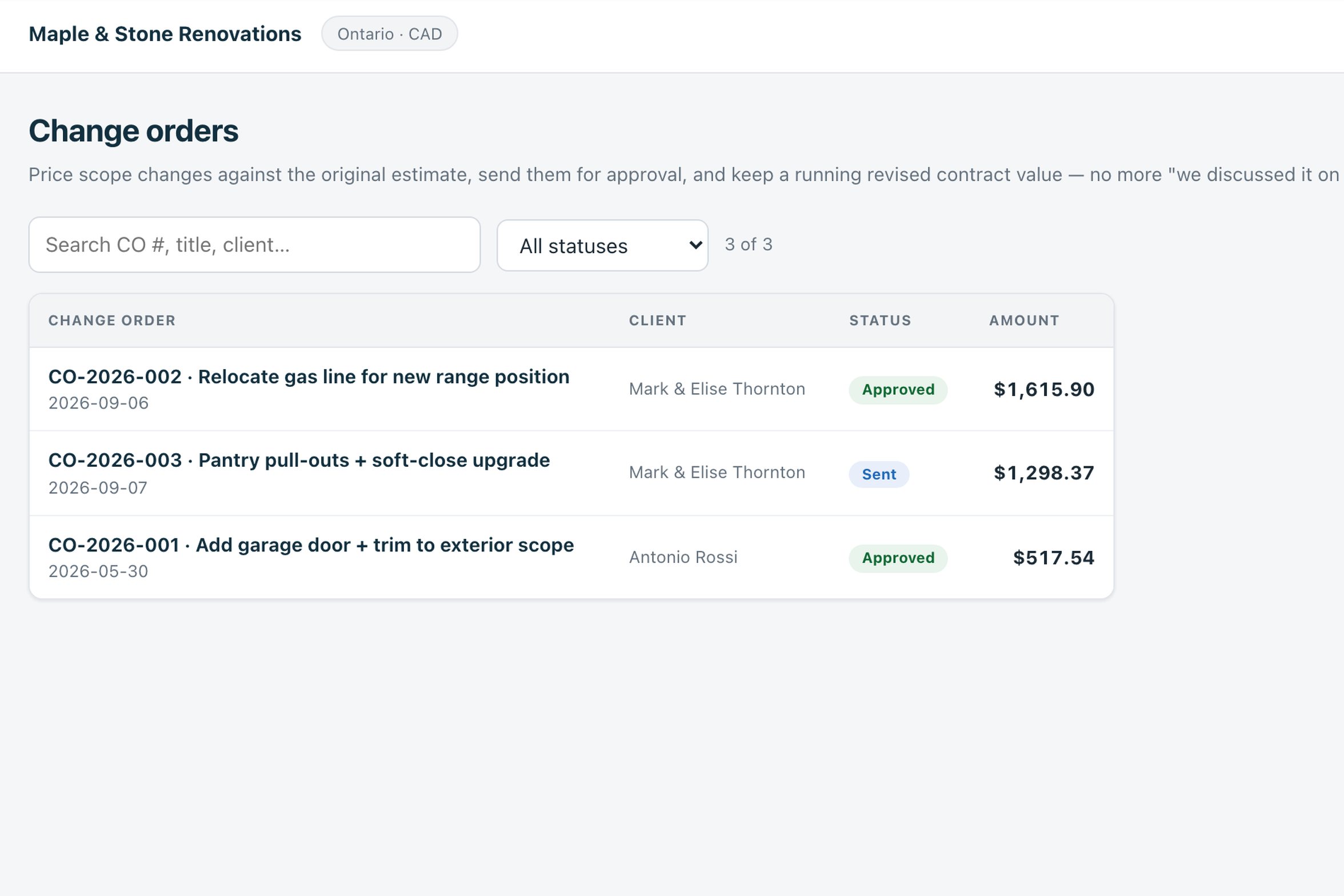
Open Change orders, press New change order, link the estimate. Add the lines — the extra pot lights, the gas line relocation — with quantities and rates, and the days it adds to the schedule.
Email it with a Review and sign button. The client opens it on their phone, sees the price and the schedule impact, and signs. Or print it for a wet signature on site.
An e-signature flips the status to Approved on its own, with the signer's name, the time, their IP address and a fingerprint of the document as signed. A paper signature you mark approved yourself.
The approved amount joins the revised contract value. The final invoice, job costing and the client's expectations all agree.
The estimate itself is signed the same way, and so are contracts on Pro — one signing flow for the three documents that change the price.
A change order is only useful if it holds up later. Each e-signed document keeps its own audit record.
Change orders are on Pro. Vendor facts below were read from their own pricing and help pages on 3 September 2026, in US dollars.
| Product | Monthly | What that buys |
|---|---|---|
| Estiquik Pro | $29.99 | CA$34.99 · change orders, contracts, e-signature, plan takeoff, expenses, job costing, QuickBooks. Annual $299.99 / CA$349.99. |
| Joist | Elite, $32 | Change orders on invoices only, not on estimates; on the top tier. Pro at $17 does not include them. |
| Jobber | — | Not a dedicated tool. Jobber's own guidance is a downloadable template, then edit the job or issue a new quote. |
| Houzz Pro | Quote-based | Change orders within its project tools. Houzz publishes no price list; Capterra lists Pro at $399 a month. |
The Joist, Jobber and Houzz Pro comparison pages carry the full tier tables and their dates.
A priced, numbered, signed record of a scope change on a residential job. It is built for the extra pot lights and the hidden rot behind the tub, not for a commercial contract's formal change directive process. The signature record is kept for your protection; whether a signed change order is enforceable in a given dispute is a legal question, and this page is not legal advice.
Change orders need Pro. On Starter you can see the page and the free downloadable template covers the paper version.
A signed record of work that was not in the original estimate — the mid-job additions and the surprises behind a wall. Use one whenever the scope, price or schedule changes after the client agreed to the estimate, even for small amounts. It is the small ones that get forgotten and eaten.
Open Change orders in the sidebar and press New change order. It gets the next CO number; link the estimate and the client and tax rate fill in. Describe the change, add priced line items, note any schedule impact in days, and email it with a Review and sign button — or print it for a wet signature and attach the signed copy.
Yes. Enter negative rates and it becomes a deductive change order — a credit that reduces the revised contract value. It is just as worth getting signed.
Draft is your working copy. Emailing flips it to Sent. An e-signature flips it to Approved on its own; after a paper signature you mark it Approved. Rejected and Void keep the record without counting it toward the contract value.
Electronic signatures are recognised under Canadian and US law for ordinary commercial documents, and Estiquik records the signer's name, the time, the IP address and a fingerprint of the signed document. Whether a given signature holds in a given dispute depends on the facts; this is not legal advice.
Pro, at $29.99 a month or $299.99 a year (CA$34.99 / CA$349.99), together with contracts, plan takeoff, expenses, job costing and the QuickBooks sync. The 14-day trial is Pro and needs no card.
Fourteen days of Pro, no card. Price the change, send it, and do the work once it is approved.