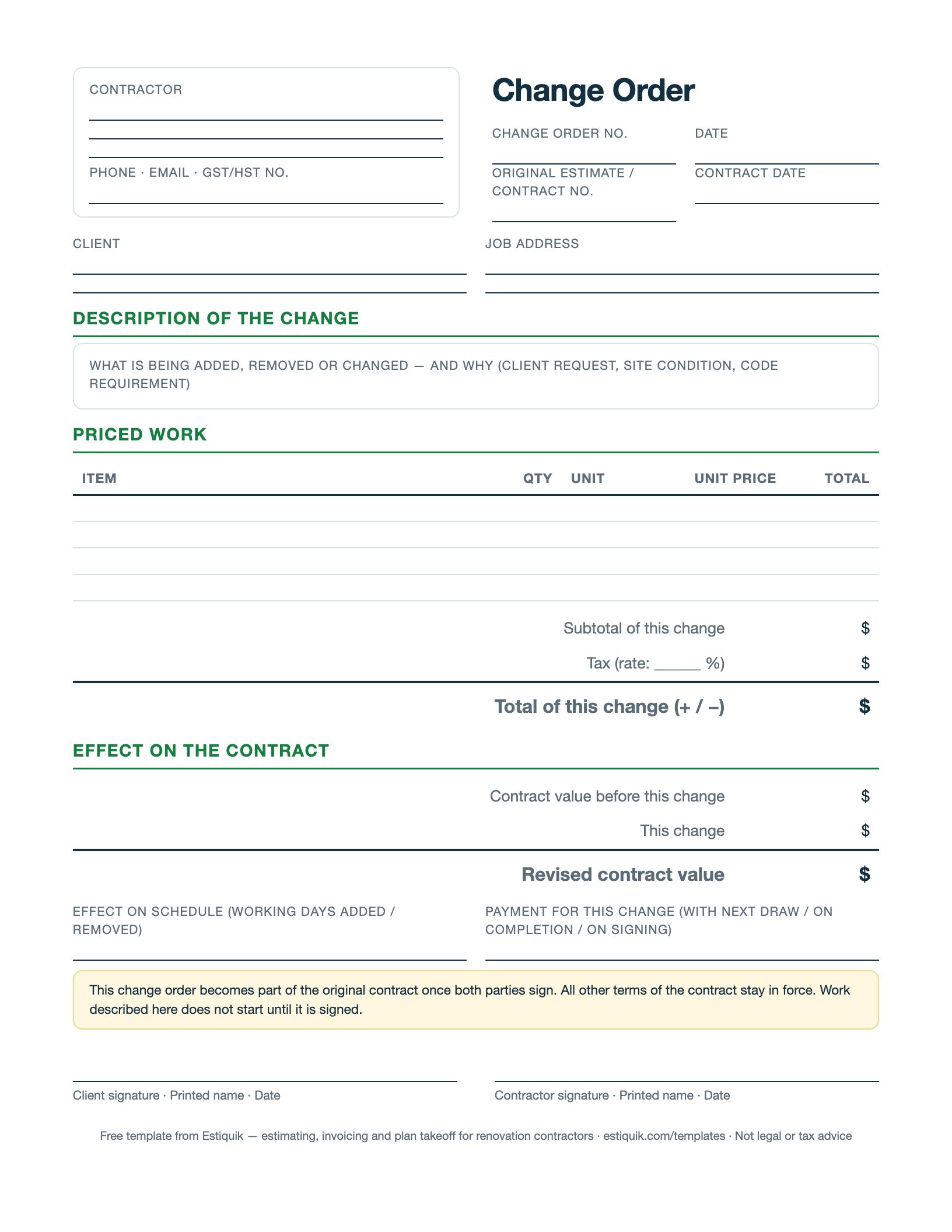
Describe the change, price it line by line, show what it does to the contract value and the schedule, and get both signatures before the work starts. Free PDF to print on the job, or a Word file to make your own.
Free for any contractor to use, edit and put their own name on. Not legal or tax advice — rules differ by province and state.
Numbered in sequence (CO-1, CO-2…) and tied to the estimate or contract it changes, so the paper trail reads in order.
What is being added, removed or changed — and why: client request, site condition, code requirement. The reason matters when the invoice is questioned later.
Line items with quantity, unit and unit price, so the client sees the same maths as the original estimate. Credits go in as negatives.
The tax rate is written on the form so nobody assumes it was included. The total can be positive or negative.
Contract value before, this change, revised contract value. This running total is what the final invoice reconciles to.
Working days added or removed, and when this change is paid — with the next draw, on completion, or on signing.
A change order is a contract amendment. The form says so, and says work does not start until it is signed.
Most renovation disputes are not about the original estimate. They are about the extra bathroom fan, the upgraded tile, the rotten joist nobody could see — the things agreed in a doorway and invoiced eight weeks later. A change order turns that conversation into a one-page document the client signed while the details were fresh.
Keep it short, keep it numbered, and price it before the work happens. If a change is too urgent to write up, write it up the same evening and get it signed the next morning. The form's running contract value is what keeps the final invoice from being a surprise.
In Estiquik, a change order is drafted from the estimate, priced with tax, emailed with a Review & sign button, and the signed changes roll into a revised contract value automatically. That is on the Pro plan; the template is free either way.
Once both parties sign it, a change order amends the original contract, and courts generally treat it that way. That is exactly why the form has both signature lines and says work does not begin until it is signed. This is general information, not legal advice; contract law is provincial and state law.
Then you have a decision, not a document. Doing the work without a signed change order means arguing about payment later with nothing in writing. At minimum, send the change order by email and keep the client's written reply.
Yes. A credit for removed scope is entered as a negative line, the total of the change is negative, and the revised contract value goes down. Recording credits the same way as extras keeps the running total honest.
Most contractors apply the same overhead and profit markup as the original estimate, and say so in the contract. Some add a small administration charge for changes requested after work starts. Whatever you do, the priced form shows it.
Yes, on the Pro plan: a change order is drafted from the estimate, priced with tax, sent for e-signature, and the signed changes roll into a revised contract value. The free plan builds and prints estimates; the template here is free for anyone.
Estiquik builds the estimate, turns it into the invoice, the contract and the change orders, and fills in your province's tax. Free plan, no card.