◆ Contractor invoice · Canada · XLSX + PDF · free

A contractor invoice template with HST and e-Transfer where they belong.

Your GST/HST number in the business block, a tax line you can label, deductions for the deposit already paid and any holdback retained, and a how-to-pay section with your e-Transfer email. Free Excel file that does the arithmetic, or a printable PDF.

No email, no sign-up Letter size, prints clean Yours to edit and rebrand
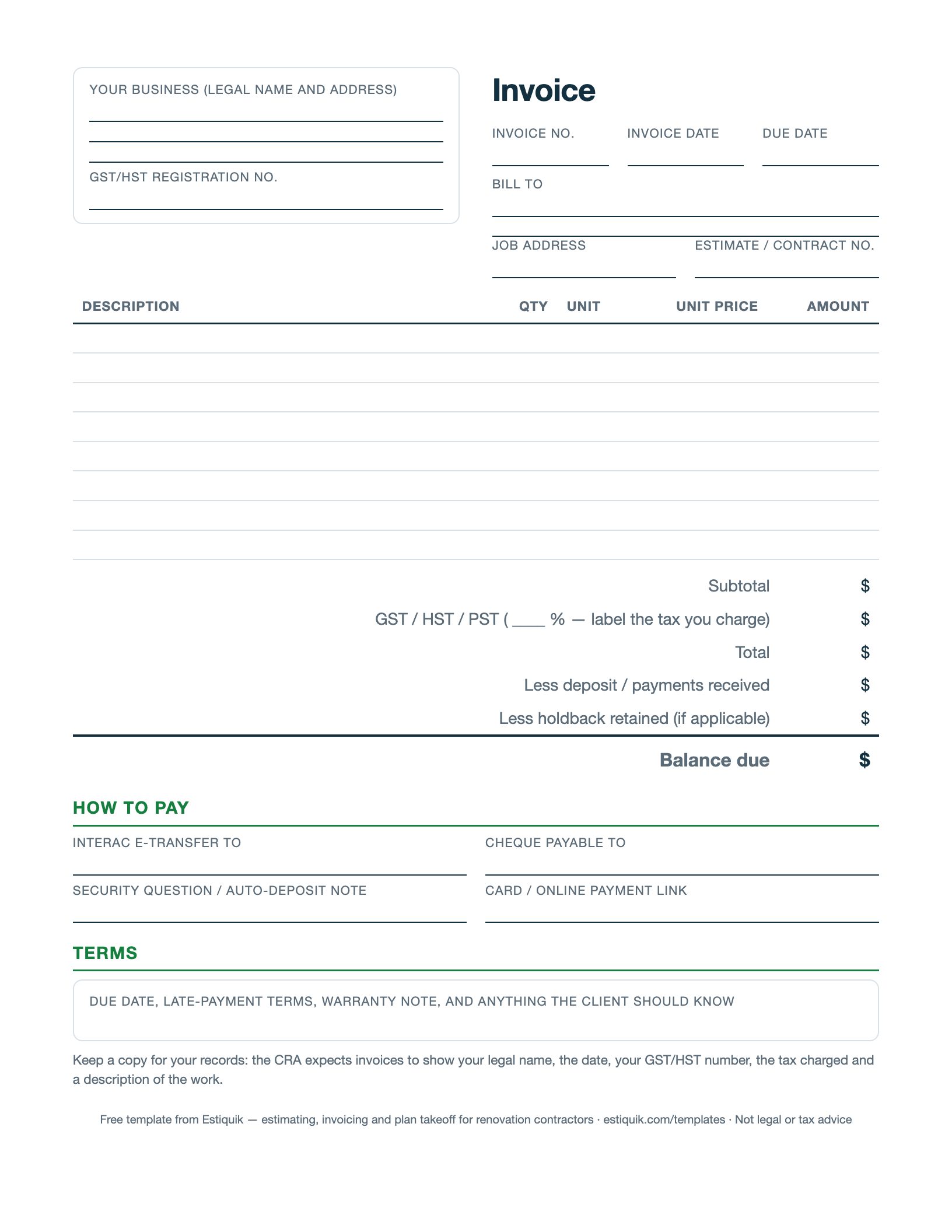
Preview of the free contractor invoice template

Free for any contractor to use, edit and put their own name on. Not legal or tax advice — rules differ by province and state.

What's on the invoice

Every field, and why the CRA and your client want it

Legal name, address and GST/HST number

If you are registered, the CRA expects your registration number on invoices over a small threshold. It goes in the business block, printed on every copy.

Invoice number, date and due date

Sequential numbers and a due date on the face of the invoice. “Due on receipt” is a due date too — say it.

Job address and estimate or contract number

Ties the invoice back to the accepted estimate so a client with three projects knows which one this is.

Line items with quantity, unit and unit price

The same structure as the estimate. A progress invoice can carry one line: “Stage 2 of 4 — rough-in complete — 30% of contract”.

Tax you can label

One rate, labelled HST, GST, GST + PST or GST + QST as your province requires. Editable in the yellow cell.

Deposit and holdback deductions

Less the deposit already received, less any holdback retained under the contract, equals balance due. The spreadsheet does it.

How to pay

Interac e-Transfer email and security-question note, cheque payee, and a card or online payment link if you have one.

How to use it

Notes from the estimating table

A Canadian contractor's invoice has two audiences. The client wants to know what they owe, by when, and how to send it. The CRA wants your legal name, the date, your GST/HST number, the tax charged and a description of the work. This template puts both on one page.

Number invoices in sequence, put the due date on the face, and make the e-Transfer email impossible to miss — most late payments are a client who meant to pay and could not find the details. Deduct the deposit on the invoice itself so the balance due is the only number they need.

In Estiquik, the invoice is created from the approved estimate in one click, the tax is filled in for your province, e-Transfers are recorded as payments, and emailed invoices carry a Pay by card button through your own Stripe account at 2.9% + 30¢ CAD. That is on Starter; the spreadsheet is free for anyone.

Before you ask

Questions contractors ask

Do I have to put my GST/HST number on the invoice?

If you are registered for GST/HST, the CRA requires your registration number on invoices above a small threshold so your client can claim input tax credits. Put it on every invoice and you never have to think about the threshold. This is general information, not tax advice.

Which tax do I charge?

HST in Ontario, New Brunswick, Nova Scotia, PEI and Newfoundland and Labrador; GST plus PST in BC, Manitoba and Saskatchewan; GST plus QST in Quebec; GST alone in Alberta and the territories. Whether PST applies to labour or only materials varies — ask your accountant. Rates by province.

How do I show a deposit already paid?

Invoice the full amount, then deduct the deposit on the “less payments received” line so the balance due is what the client actually sends. The client's records and yours then match.

What about holdback?

If the contract retains a holdback, deduct it on each progress invoice and bill it as a final holdback-release invoice once the lien period has passed. The template has the line; the contract sets the percentage.

Can I add a late fee?

You can state one in the terms, and courts generally enforce reasonable interest that was agreed in advance. Put it in the contract and repeat it on the invoice; do not spring it on a client afterwards.

The other three

More free templates

Or let the software fill it in

Estiquik builds the estimate, turns it into the invoice, the contract and the change orders, and fills in your province's tax. Free plan, no card.

Download Excel (.xlsx)
Free · No email required