◆ On Pro · $29.99 a month (CA$34.99) · 14-day trial

A daily site log that ends in a signed finish.

What happened on site each day, who was there, the weather, what held the job up, and the photos, entered from the phone and kept with the job. Then the checklists before drywall and at the walkthrough, the deficiency list to the last touch-up, and the homeowner's sign-off when it is done.

✓ No card to start✓ Photos wait when you are offline✓ Print or save as PDF
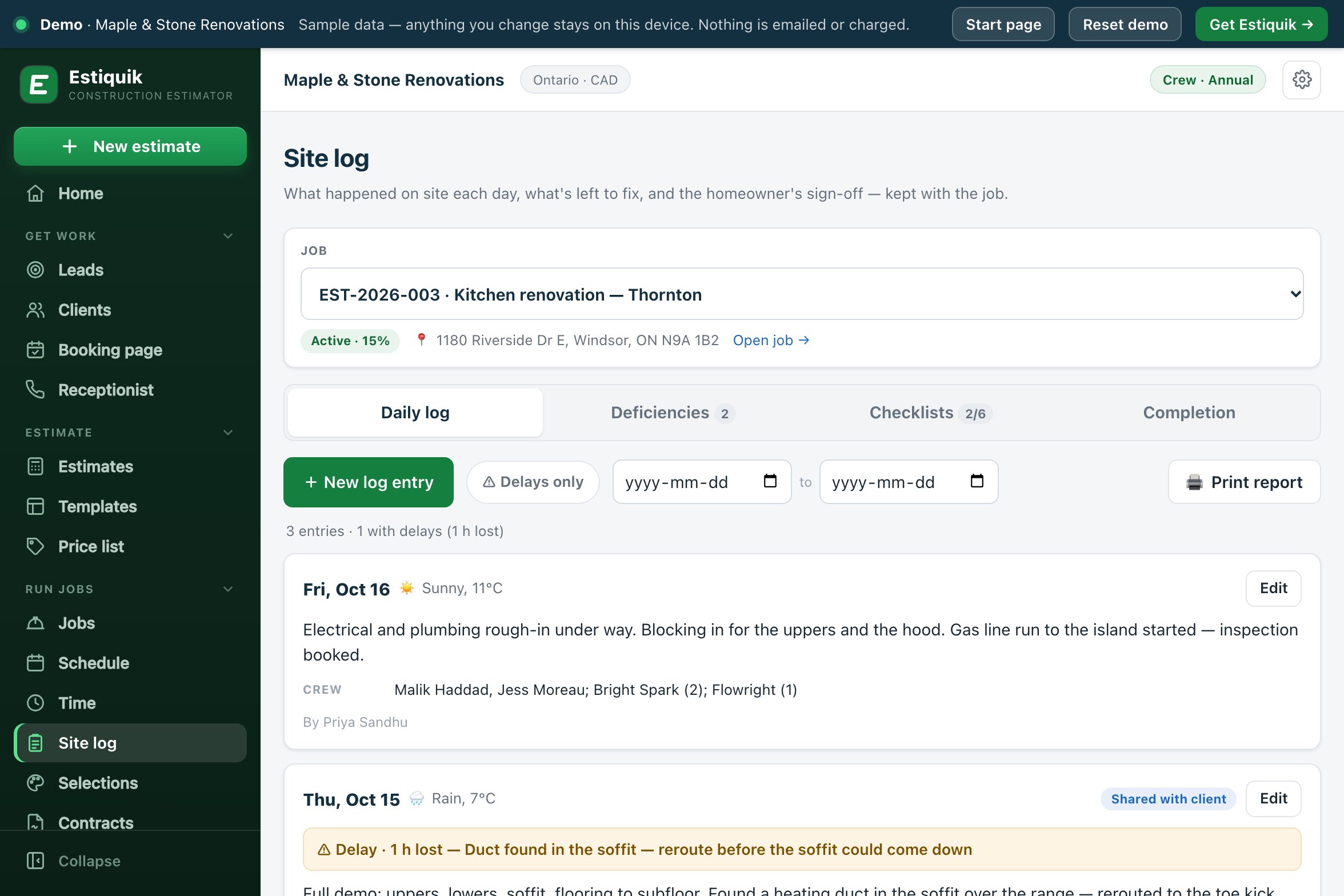
The Estiquik site log for the Thornton kitchen: daily log, deficiencies, checklists and completion tabs, with a sunny day of rough-in work and a rainy day with a one-hour delay for a duct found in the soffit
The site log in the live demo
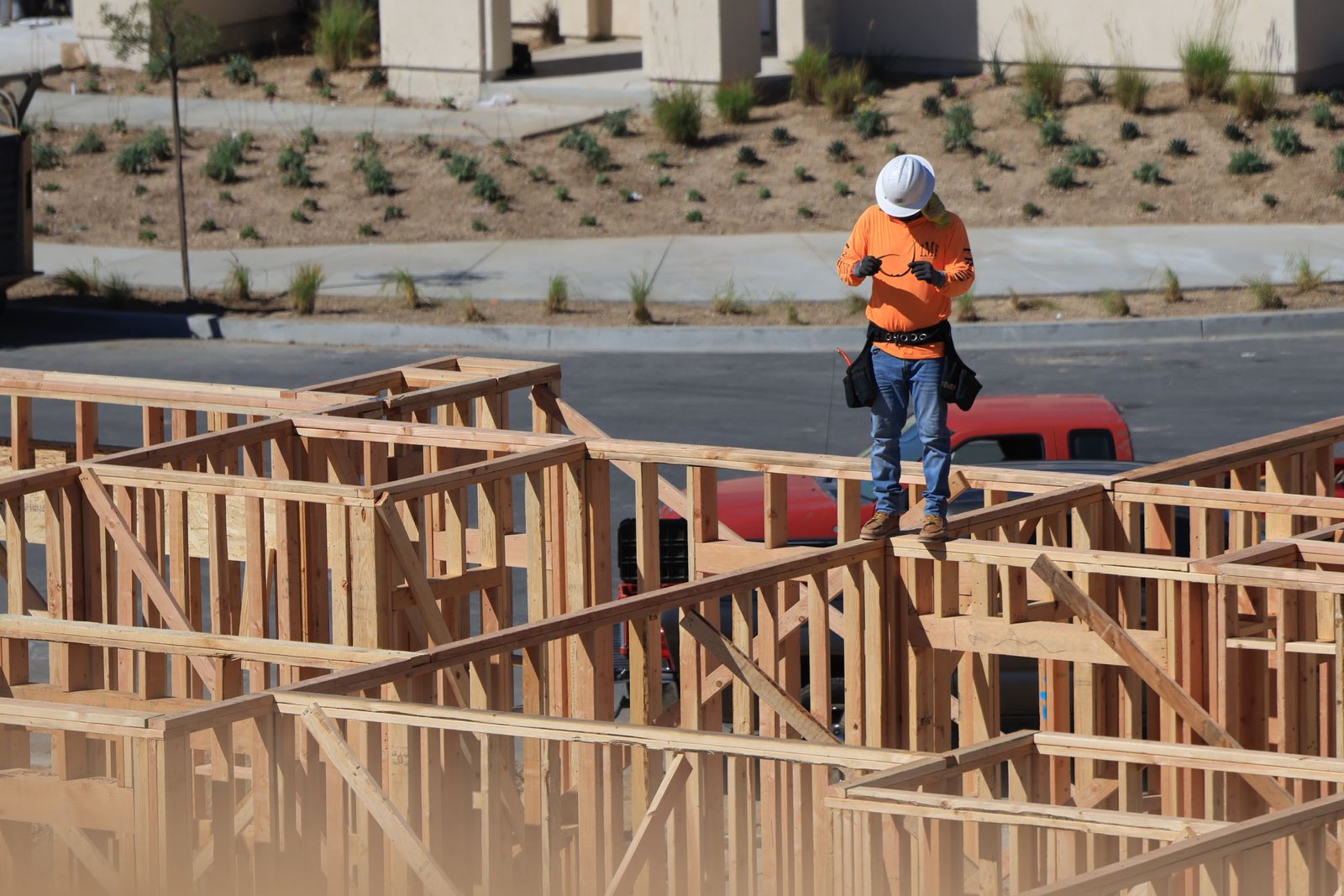
A worker on a timber frame checking a device on site
Every day on siteWork done, who was there, the weather, delays and dated photos, entered from the phone.
Log, check, fix, sign off

What the site log does

Four tabs per job: Daily log, Deficiencies, Checklists and Completion. The examples are the Thornton kitchen in the live demo.

🌦️

The daily log

Date, weather and temperature, who was on site, work done, visitors and inspections. Fill the crew from the day's time entries. Each entry records who wrote it.

Rain, 7°C · 4 on site
⏳

Delays, on the record

Tick that there was a delay, with the hours lost and why. Filter to delays only to see the hours lost over any date range.

1 h lost: duct in the soffit
📷

Dated photos

Take photos or add them from the gallery, with a caption. Each is team only or shared with the homeowner. Offline, they wait and send themselves when you are back online.

Team only, or client sees
☑️

Checklists

Start from Pre-drywall inspection, Pre-paint walkthrough, Final walkthrough or Daily site safety, or build your own. Each tick records who and when.

Pre-drywall checks: 2 of 6
🔧

Deficiencies

What needs fixing, where, who it is assigned to, the due date and a photo. Open, then fixed, then verified. Print the list for the walkthrough with sign lines.

2 open
✍️

Completion sign-off

Ask the homeowner to sign off. They sign on their project page, and the record shows their name, the time, IP address, browser and a fingerprint.

Open the demo →
First day to sign-off

How the record builds up

A few minutes a day from the phone, and the job ends with a record you can stand behind.

STEP 1

Log the day

Before you leave site: weather, crew, work done, any delay, and the photos. Tick Share this update with the client if the homeowner should see it.

STEP 2

Check before you close up

Run the pre-drywall checklist before the walls go up, the pre-paint walkthrough before the painters, and the daily safety list if you use one.

STEP 3

Fix what is left

Add each deficiency as it comes up, assign it, and mark it fixed. Someone who runs the site verifies it.

STEP 4

Ask for the sign-off

Write what is included and anything still outstanding, and ask the homeowner to sign off on their project page. Then mark the job complete.

Shared photos and log notes appear on the homeowner's project page; the rest stays with the team.

Completion sign-off

What the sign-off records

The homeowner signs on their project page. Estiquik writes the record on the server; it can't be changed from the app.

Where the job standsBefore you ask, the Completion tab shows the open deficiencies, how far the checklists are done and the date of the last log, and warns you if deficiencies are still open.
What they signedYour note of what is included and what is still outstanding, with the job and its address.
Who, when and from whereThe name they typed, the time, their IP address and their browser.
A fingerprintA SHA-256 of exactly what was shown to them, kept as the signature record on the job.
Site log app pricing

What it costs

Estiquik's own plans, in US dollars with Canadian dollars beside them. Other vendors are not compared on this page: their prices change, and we only list one we have checked on their own pricing page that day.

ProductMonthlyWhat that buys
Estiquik Pro$29.99CA$34.99 · crew hours, job profit, purchasing, subcontracts, selections, the client portal and the site log, with expenses, change orders, contracts, plan takeoff and QuickBooks. Annual $299.99 / CA$349.99.
Estiquik Crew$69.99CA$79.99 · everything in Pro in one workspace for up to 10 people, with team roles. Annual $699.99 / CA$799.99.
Estiquik Starter$19.99CA$24.99 · estimates, invoices and e-signature. No site log.

Full plan details on the pricing page. The 14-day trial is Pro and needs no card.

Where it stops

What the site log in Estiquik is

Pick Estiquik if you…

  • Lose days to things nobody wrote downDelays are logged with the hours lost and why, and can be filtered later.
  • Take photos on site and lose them in the camera rollThey are on the job, dated, with a caption.
  • Chase the last deficiencies for weeksEach one is assigned with a due date, and overdue items are flagged.
  • Want a signed finishThe homeowner signs off on their project page, with a record kept.

Pick a different tool if you need…

  • Automatic weatherWeather and temperature are picked or typed in. Nothing looks them up.
  • A generated PDF reportPrint report and Print list use your browser's print, which can save as PDF.
  • Safety forms for a regulatorThe daily safety checklist is a checklist. It is not a filed inspection form.
  • Photo markupPhotos carry a caption. There is no drawing on them.

A daily record, checklists, a deficiency list and a completion sign-off for each job, kept from the phone. It is honest about its edges: the weather is what you enter, a photo's date comes from the photo file, the reports print through your browser, and asking for the sign-off does not email the homeowner by itself; they sign on the project page you have shared.

The site log is on Pro. On Crew everyone in the workspace sees the site log and deficiencies and can add to the log; adding checklists, asking for the sign-off and closing the job are for people who run the job.

Before you ask

Questions contractors ask

What goes in a daily log entry?

The date, the weather and temperature, who was on site (filled from the day's time entries if you like), the work done, any delay with the hours lost and why, visitors and inspections, and photos with captions. The entry records who wrote it.

Does it work without signal?

Yes. Entries and photos saved offline wait on the phone and send themselves when you are back online. Photos are resized on the phone before they upload.

Does the homeowner see the log?

Only what you share. Each photo is team only or shared, and an entry's notes reach the homeowner's project page only when the whole entry is shared.

Which checklists are there?

Pre-drywall inspection, pre-paint walkthrough, final walkthrough and daily site safety, or a custom list. Anyone can tick an item, and each tick records who and when.

How does the deficiency list work?

Each item has what needs fixing, where, who it is assigned to, a due date and a photo, and whether the homeowner sees it. Anyone can mark it fixed; someone who runs the site verifies it. Print the list for the walkthrough with a checkbox column and sign lines.

How does the completion sign-off work?

From the Completion tab, write what is included and anything outstanding and ask for the sign-off. The homeowner signs on their project page with their name. The record keeps their name, the time, IP address, browser and a SHA-256 fingerprint, and can't be changed from the app.

Which plan is the site log on?

Pro, at $29.99 a month or $299.99 a year (CA$34.99 / CA$349.99), and Crew. The 14-day trial is Pro and needs no card.
Start the record on the next job

Fourteen days of Pro, no card. Log the first day from your phone and end the job with a signed finish.

Start free trial — no card required
14-day trial of Pro · Cancel anytime